Tips
Upload reels: formats, size and length
Upload reels in reelbatch: which formats are accepted, how large and how long a video may be, and what happens when the connection drops.
reelbatch blog
Guides and honest tips around trial reels on Instagram: how to plan variations, write hooks and read results. Plus new reelbatch features, explained in detail.
Upload reels in reelbatch: which formats are accepted, how large and how long a video may be, and what happens when the connection drops.
The reelbatch Trial Reels calculator shows you in a minute how many Trial Reels you need, how many videos make sense and which plan fits. With an example.
How to send reelbatch feedback: the “Feedback & ideas” card on your overview, the three kinds and where you find our replies.
Search keywords in a Reel caption: what vendors write, what Instagram does not state clearly, and how to put terms into your text naturally.
Reels subtitles: what the Subtitles look in reelbatch can do, what a caption is, and why spoken subtitles don't belong to reelbatch.
Reels cover image: how to plan the first frame, check it in the text editor, see it in the profile grid and set the switches in reelbatch the right way.
How to add reelbatch to your home screen on iPhone, iPad or Android: the steps in Safari and Chrome, your icon and your personal link.
Product Reels for an online shop: four video formats with one product, how reelbatch helps (hook ideas, text, Trial Reels) and what to check first.
Post reels over several days in reelbatch: the Post today block, one folder per day, the downloaded check mark and the daily email reminder.
Get usable light and clear sound for Reels with your phone, without new gear. With an example and what reelbatch takes off your hands afterwards.
Music in Reels for business: what Meta says about the licensed music library and Sound Collection, and what to clear before you post. Not legal advice.
How long an Instagram caption may be, what shows without a tap and how reelbatch keeps the length in view while you write the caption.
How many hashtags belong under a Reel: what Instagram’s help says, where the sources disagree and how reelbatch sets hashtags.
How long a Reel may be (3 minutes) and how to pick the length by content. What Instagram announced and what reelbatch checks when you upload.
Download your reelbatch data as a ZIP, save your videos in time and delete your account. The steps under “Account and data”.
Creator or Business for Reels: what Instagram says about both account types, which account Trial Reels in reelbatch need and how to switch.
Trial reels for businesses: how brands, shops, cafés and trades test new reels with non-followers first, and what works locally and what doesn’t.
How to pick the right song snippet for reels: find the hook in your song, choose length and opening, and test several snippets fairly with trial reels.
Faceless reels: 9 formats with text on screen, b-roll, hands, screen recordings and lyrics, plus hooks that work without a face and a fair test plan.
Download your own Reels and reuse them: paste a TikTok or Instagram link, watch the video, save it or add it straight to your next campaign.
Captions per video in reelbatch: assign your own captions to single videos, get caption ideas for one video and optimise or rewrite your caption with AI.
The AI hook generator in reelbatch sees stills from your whole video, recognises the brand and suggests hooks that actually fit what happens.
Plan hooks per video in reelbatch: add hooks one by one, assign them to videos, get hook ideas by swiping with context and find your old hooks again.
Edit captions in reelbatch: captions with hashtags for every order, adjust them before posting, copy them in the download folder, with your brand’s style.
Basic, Standard and Double can be booked during the beta: choose a plan, pay securely, beta price for 30 days, activated automatically.
Expert settings in reelbatch: switch zoom, speed, colour, effects and sound on or off one by one. All 10 switches explained, with typical cases.
Day 1 first, then day by day into one folder: the order in which reelbatch creates campaigns, when your videos are ready and which emails you get.
What the agency workspace in reelbatch brings: brands with their own look, team access, approval links, bulk upload and a monthly report. Not bookable yet.
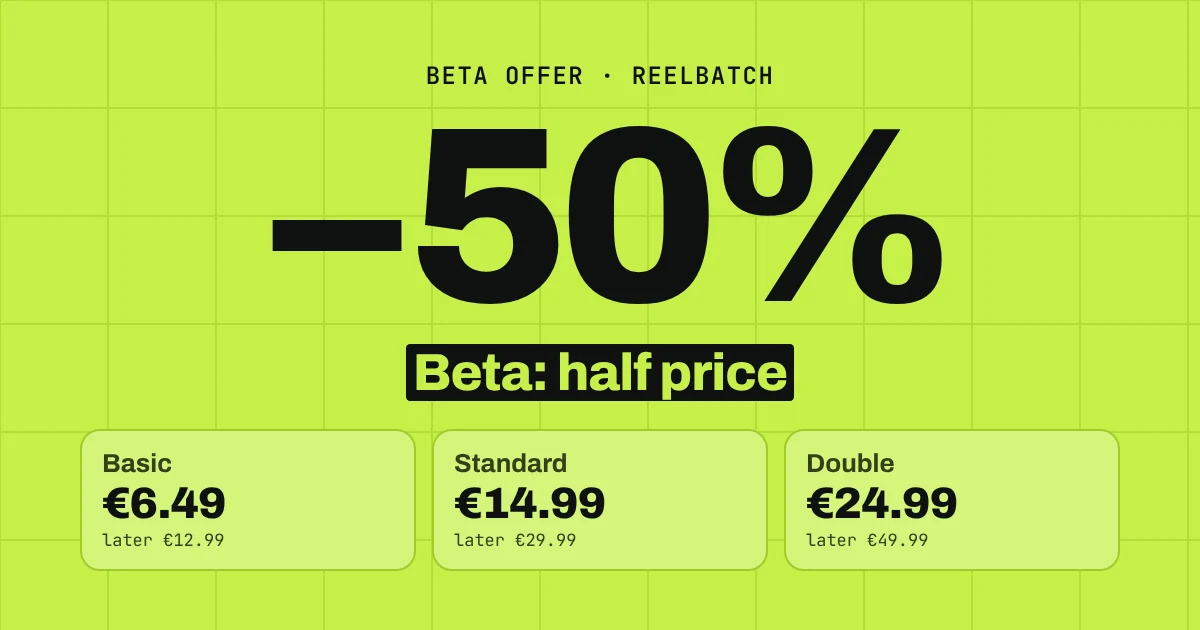
Book Basic, Standard or Double during the beta and pay 50% less for your first 30 days. With beta and regular price, Agency on request.
Export your reel numbers as a CSV from Meta Business Suite and import them into reelbatch: menu path, columns, matching trial reels, common pitfalls.
reelbatch beta 0.5: what came before the start, from the text editor to the campaign calendar to downloads in the app. And what’s still missing.
The reelbatch What’s new page explained: where to find it, what highlights and patch notes show, how version numbers work and what the “New” marker means.
Trial reels vs. regular reels: a comparison with a decision guide on when to test, when to publish directly and how to combine both in your week.
How to analyse trial reels without being fooled by chance: which metrics matter, how to compare groups and when to decide.
Test trial reels instead of guessing: change one thing, treat versions equally, keep clean notes. With a test plan, examples and typical mistakes.
Strength levels in reelbatch: what levels 1, 2 and 3 change in your versions, which level suits which video, and why level 2 is a good place to start.
Single order or campaign in reelbatch: what each mode delivers, when to use which, and how to start it. With a comparison table and examples.
Review a campaign with reelbatch: note your Instagram results, compare videos and hooks as groups and turn the findings into your next campaign.
How to plan your release week on Instagram with trial reels: test snippets beforehand, show the strongest version on release day, keep testing afterwards.
Your posting plan for reels as a calendar: reelbatch shows every day with date, number and videos before you start. Plus tips for a good plan.
How agencies plan trial reels for several client accounts: collecting material, one campaign per account, approvals, clear folders and honest reports.
Common reels mistakes with hooks, picture, text, rhythm and review: how to spot them, why they can cost you viewers and what to do instead.
Reels for coaches, beauty and food: five formats each with an example, what to watch with claims, and how to find your strongest one with trial reels.
The reels checklist to tick off: picture, sound, hook, text, caption, trial option and follow-up. 20 points you can check quickly before every post.
reelbatch plans compared: choose Basic, Standard, Double or Agency by reels per day and find out when the done-for-you service is worth it.
The reelbatch guide: start the trial, upload videos, plan a campaign, add text on the video and post the finished folder every day.
Why it makes sense to create many reel variations from one strong clip, what may change between them and how to spread them across days.
Reel ideas for musicians: 15 formats from song snippets to studio and live moments, each with a hook example and a tip on comparing them with trial reels.
Promote old songs on Instagram: how to introduce your catalogue to new people with trial reels. With new angles, occasions and a monthly plan.
Plan a campaign in reelbatch: set reels per day and duration, find the right number of videos, read the calendar and use “Shuffle again”.
Instagram trial reels show your reel to people who don’t follow you first. What the feature can do, where its limits are and how to use it well.
Where text stays readable in Instagram reels: which areas the app covers, how big text should be and how to make hooks easy to read.
Hook ideas for Instagram reels: 10 patterns with examples for music, creators and brands. Plus: how to write, place and compare hooks.
The Instagram reels glossary: 35 terms from trial reel to hook and safe zone to watch time and quota, each explained in one or two sentences.
How to post trial reels in Instagram: from the saved video to the trial option to sharing with followers. With posting order and common stumbling blocks.
How often to post reels? Why there is no magic number, how to find a rhythm you can keep up, and how trial reels fit into your week.
Hook ideas by swiping in reelbatch: get suggestions for your topic, tone and language, swipe right to keep, left to discard, then use them as texts.
Hook formulas to fill in: six basic formulas with blanks, plus ready examples for music, coaching, beauty, food, fitness and local businesses.
The free reelbatch trial: 30 Trial Reels in 3 days, free to use for campaigns and single orders. With an example campaign.
Download videos in reelbatch: find your daily folders, save on iPhone and Android, use the ZIP download and understand the “deleted soon” notice.
Content recycling on Instagram: how to turn reels, lives, stories and videos into new posts, which content works and where variations help.
Add text to reels with the reelbatch text editor: looks, position and size, alignment, colour picker, safe zone, brand template and distribution explained.
Free trial
Sign up. Your access is activated automatically, and the email with your upload link arrives right away.
Your access is active. The email with your personal upload link is on its way and usually arrives within a few minutes. Nothing there yet? Please check your spam folder too.
We’ll take a quick look at your request and get back to you by email.
Prefer a quick call? Book a call