Trial reels vs. regular reels: when to use which
Trial reels vs. regular reels: a comparison with a decision guide on when to test, when to publish directly and how to combine both in your week.

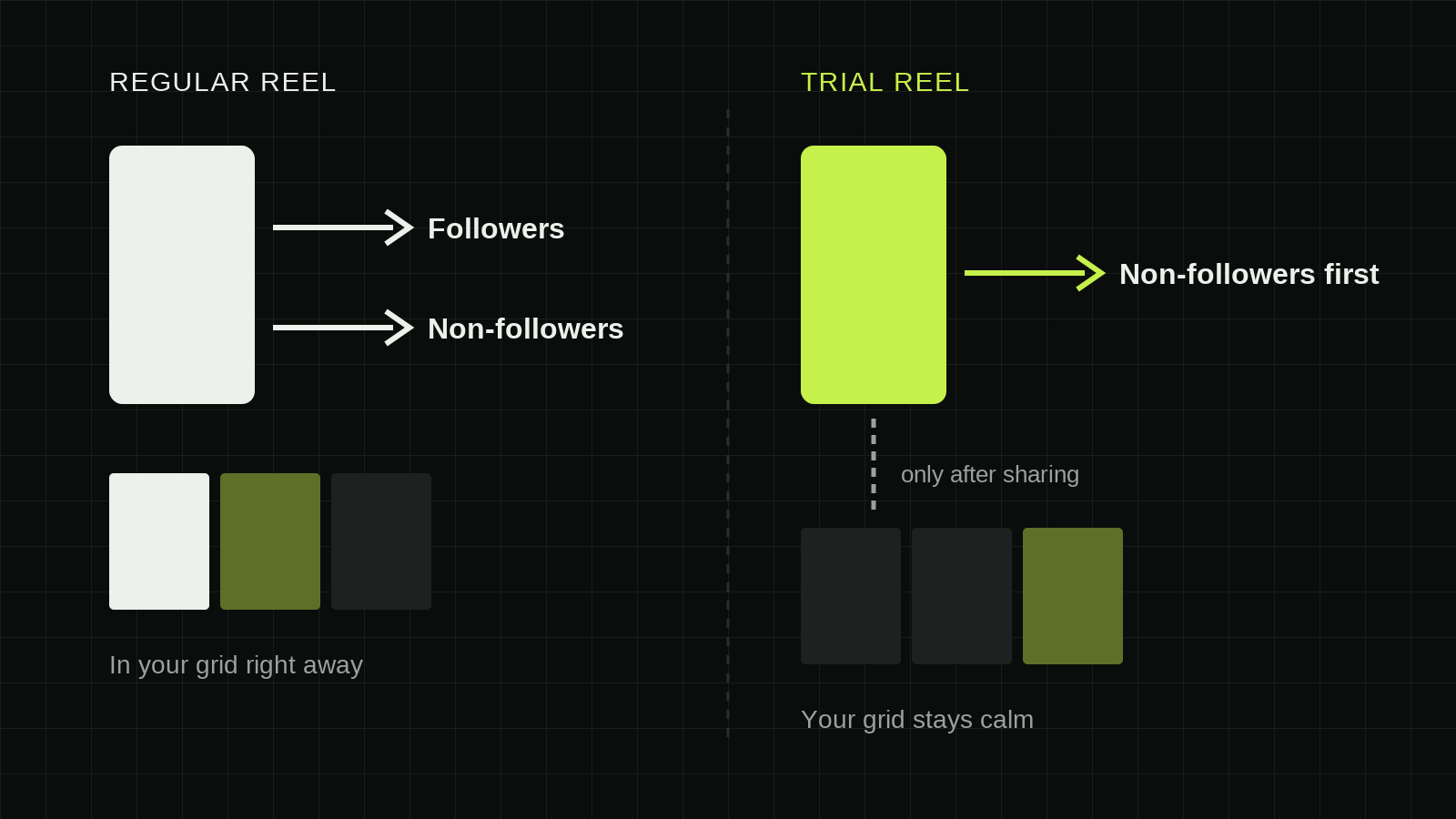
You publish a regular reel for everyone, while a trial reel is tested with people who don’t follow you first. Both have their place: regular reels build your profile and reach your community, trial reels help you try out ideas without filling your profile grid. So the question isn’t “either or”, but: what is the goal for this video right now?
Series · part 2 of 5Understanding trial reels
This is part 2 of the “Understanding trial reels” series. What trial reels are exactly is explained in part 1: what are trial reels on Instagram?.
The difference at a glance
| Regular reel | Trial reel | |
|---|---|---|
| Who sees it first? | Followers and non-followers | Non-followers only, at first |
| In the profile grid | yes, right away | no, only after sharing with followers |
| Numbers | after posting | according to Instagram after about 24 hours |
| Comments from your community | directly | only after sharing |
| Typical purpose | publish, look after your community | try out, compare, show good material more often |
| Requirement | any account | professional account, other conditions set by Instagram |
When a regular reel is the better choice
- Your community should see it now. News, announcements, a release day, a campaign with a date.
- It belongs in your profile. Content new visitors should see in your grid because it shows who you are.
- It lives on conversation. Questions to your followers, replies to comments, thanks to your community.
- You’re sure about it. The video has already proven itself, for example as a trial reel.
When a trial reel is the better choice
- You want to try something. A new format, a different opening, an unusual style.
- You want to compare. Two hooks, two snippets, two edits. How to do that fairly is explained in how to test trial reels.
- Your profile should stay calm. Several versions of the same video would fill your grid, as trial reels they don’t.
- You want to show good material more often. A strong video in slightly varied versions, shown to new people on several days.
The decision in three questions
Trial or regular?
- Does my community need to see it today? Yes: regular reel. No: go to question 2.
- Do I have an open question about this video? For example which opening works better. Yes: trial reel. No: go to question 3.
- Should it stay in my profile for good? Yes: regular reel. No or not sure yet: trial reel, and share it with followers later if it does well.
Combining both
A simple process that connects both:
- Test: post several versions of an idea as trial reels.
- Choose: after a few days, pick the version with the best numbers.
- Publish: share that version with your followers or post it again as a regular reel.
That way your profile stays tidy, and what’s in it has already worked with new people. How sharing works in Instagram is covered in how to post trial reels. How often to post overall is covered in how often to post reels.
To be honest
Neither trial reels nor regular reels are the better road to more reach. They do different jobs. How many people see a reel is decided by the content and the platform.
Frequently asked questions
Can I turn a trial reel into a regular reel later?
Yes. You can share a trial reel with your followers, and it then also appears in your profile. Instagram also offers to do that automatically if the reel performs well in the first 72 hours.
Do trial reels count for my profile?
As long as you don’t share them, they don’t appear in your profile grid. You still see their numbers.
Should I only post trial reels from now on?
Probably not. Your community follows you to see your content. Trial reels complement regular posts, they don’t replace them.
Why doesn’t Instagram show me a trial option?
The feature is only available to certain accounts, as far as is known professional and public ones. Instagram adjusts the requirements now and then. Check your account and keep the app up to date.


