Account and data: save your data and delete your account
Download your reelbatch data as a ZIP, save your videos in time and delete your account. The steps under “Account and data”.

Your reelbatch account belongs to you. You can take your data with you as a ZIP file, save your videos and delete your account. You’ll find everything under “Account and data” in the menu. This guide goes through the steps in the order that makes sense. The most important rule comes first: deleting cannot be undone. So download what you want to keep before you delete anything.
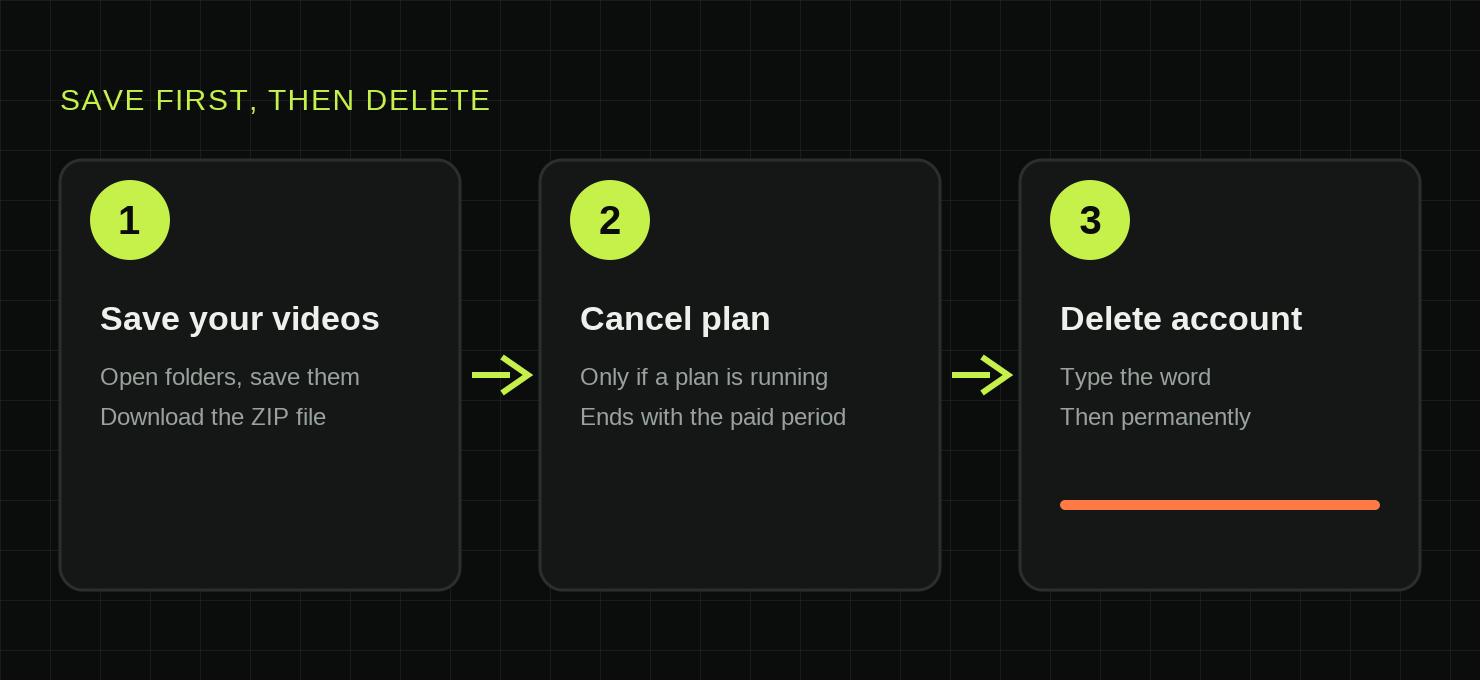
Step 1: save your videos before they disappear
reelbatch deletes finished folders automatically after a fixed period. The default is 30 days. The period starts when the folder is finished. For a campaign, it starts when the campaign ends, depending on which date is later. The guide Download videos shows you step by step how to save them.
reelbatch also warns you beforehand. The note “Deleted soon – save them now” appears on your overview as soon as a folder disappears within the next three days. Depending on how long the campaign runs, you may also get emails, up to seven days before. Don’t rely on the email alone. Opening the folder gives you more certainty.
For a campaign there is one folder for the whole campaign, with a subfolder for each day. You can save the videos one by one or download the whole folder as a ZIP file. It’s best to check this before the first deletion date comes near, so you have enough time for every day.
Step 2: download your data as a ZIP file
Under “Account and data” you’ll find the button “Download data as ZIP”. The file contains everything reelbatch stores about your account:
- your profile, your plans and your settings,
- your orders,
- your emails, with subject and date,
- your consents.
The information is stored as JSON files. That’s a format that programs can read too. The videos themselves aren’t included. Folders that still exist are listed as links in the file, so you can find them quickly. You still save the videos through the folders, as described in step 1.
Step 3: cancel a running plan
A running plan does not end by itself when you delete your account. So cancel it first. The button “Cancel plan” only appears if a cancellation is possible. In the dialog, tap a reason or skip the question. Then tap “Continue to cancellation” and finally confirm the cancellation.
The cancellation takes effect at the end of the period you’ve already paid for. Until then you can use reelbatch as usual.
Step 4: delete your account
At the very bottom of the page is “Delete account”. Open the section and read the note. Then type a word to confirm. That’s your Instagram name without the @. If you haven’t stored an Instagram name, it’s your email address. The page shows you the exact word after “To confirm, type”. If the entry doesn’t match, your account stays as it is and you see a message. If it matches, tap “Delete account permanently”. The deletion happens right away. As said above, it can’t be undone.
Then we delete all videos and folders right away, along with your personal link and your personal data. After that you no longer have access to your area. Invoice and payment data must be kept for a while for legal reasons. The privacy policy on the website explains in more detail what remains and why.
Frequently asked questions
Can I restore the account after deleting it?
No. Deleting cannot be undone. That’s why the ZIP file comes before the deletion.
Do I have to delete my account to change my plan?
No. You’ll find your plan and billing under “Plan & billing” in the menu. Your account stays as it is.
What happens to my folders if I do nothing?
After the deletion period, reelbatch removes them automatically, usually 30 days after they were finished. Your account stays in place. The hints and the steps for saving are in the guide Download videos.
I get the message “Too many attempts”. What do I do?
After several wrong entries, reelbatch stops accepting more attempts for now. The message asks you to try again later. When you do, look at the word the page shows you and type it exactly like that.
Check before you delete
- Have you saved the ZIP file?
- Have you saved the videos you want to keep?
- Is a running plan cancelled?
- Have you typed the word exactly as the page shows it?
If you’d like an overview of how reelbatch works before you decide, the reelbatch guide is a good place to start.


