Faceless reels: 9 formats and how to test them
Faceless reels: 9 formats with text on screen, b-roll, hands, screen recordings and lyrics, plus hooks that work without a face and a fair test plan.

Faceless reels are videos in which you don’t speak to the camera yourself. Instead, text on screen, shots of hands, places, products or your screen, a voice-over or song lyrics carry the story. For that to work, whatever your face would normally do has to get into the video another way: a clear first line, movement in the first frame and something people recognise you by.
Here you’ll find 9 formats that work without a face, what matters for hooks without a face and how to test several variations with little footage.
Why faceless reels?
There are plenty of good reasons not to go in front of the camera:
- Privacy: you don’t want to be recognised online, or your workplace should stay in the background.
- Time: a clip of your hands at work is quicker to film than a video you have to get ready for.
- The topic comes first: with a recipe, a tool or a piece of software, people care more about the result than the person.
- Several people, one brand: on team and brand accounts, not everything should depend on one person.
- Music: many artists would rather show visuals, lyrics or live moments than a close-up of their face.
To be honest: a face builds closeness quickly. Without one that is not impossible, but you have to solve it more deliberately. Which version your audience responds to better can’t be predicted, only tried out.
What a face normally does and what you use instead
| What a face does | What you use without a face |
|---|---|
| Attention in the first second | A hook as text on screen and movement in the first frame |
| Personality | Your voice, your handwriting, your way of phrasing things |
| Trust | Showing real processes: hands at work, real results, nothing staged |
| Recognition | Always the same text look, the same colours, the same place or angle |
This leads to the most important rule for faceless reels: the first line on screen does the job your look into the camera would otherwise do. It has to say right away what the video is about or why people should stay.
9 formats that work without a face
1. The text reel
A calm shot with a thought, a question or a short list on top. The picture is the backdrop, the text is the content.
- Good for: coaching, consulting, tips, quotes, opinions
- Hook example: “3 things I wish I’d known before my first client”
- Test: question against statement as the hook, same shot
2. B-roll with text
Short everyday scenes, places or details, for example a coffee, a window, the way to the studio. The text tells the story, the shots set the mood.
- Good for: lifestyle, travel, local businesses, music
- Hook example: “This is what a normal Monday in our workshop looks like”
- Test: the same text over two different sequences of shots
3. Hands at work
The camera only shows your hands: cooking, painting, cutting, playing, repairing, doing make-up. It feels close and real without anyone seeing your face.
- Good for: food, crafts, art, beauty, musical instruments
- Hook example: “The one move I had to practise the longest”
- Test: hook about the result against hook about the mistake to avoid
4. The screen recording
You record your screen and show a process step by step: a tool, a setting, a trick in an app.
- Good for: software, online business, design, tutorials
- Hook example: “This setting saves me ten minutes every day”
- Test: showing the result first against showing step 1 first
Record vertically
If you can, record screen processes in portrait right away, for example on your phone, or crop them to 9:16. A landscape video stays landscape in reelbatch, and the form then says so next to the upload.
5. The lyrics reel
A line from your song, big on screen, with exactly that part of the song playing underneath. A calm visual is often enough.
- Good for: artists, bands, songwriters
- Hook example: the line itself
- Test: the line as text against a question like “Know this feeling?”, or different parts of the song. How to find the right part is in song snippet for reels.
6. Before and after
The state before, a quick transition, the result. The process in between can run as a time-lapse.
- Good for: renovating, tidying up, design, beauty, gardening
- Hook example: “Three hours in twelve seconds”
- Test: before first against result first
Stay honest with before and after
Show real results without flattering filters and without promises you can’t keep. Especially in beauty and health this is fair and often a legal matter as well.
7. Point of view (POV)
The camera is the viewer’s eyes: people see what you see, for example walking into the shop, opening a parcel or standing on stage.
- Good for: restaurants and cafés, events, music, retail
- Hook example: “You walk into the bakery at 7 am”
- Test: hook in the second person against the first person
8. The voice-over
You speak, but nobody sees you. The shots show what you are talking about. Your voice creates the closeness your face otherwise would.
- Good for: explanations, stories, coaching
- Hook example: the first spoken sentence, also shown as text on screen
- Test: the same clip with different text on screen
9. The product in focus
An object takes centre stage: unboxed, used, shown in detail. Good for anything people can touch.
- Good for: shops, makers, merch, handmade goods
- Hook example: “The detail nobody sees in the product photo”
- Test: detail first against the full view first
Hooks without a face: the text makes the first impression
Without a face, the text on screen is usually the first thing people notice. A few rules help:
- One thought per hook. Short enough to read at a glance.
- Big and high-contrast. The text has to be readable on a small screen and over a busy background.
- Not covered. Instagram puts its own elements over the top, bottom and right of the video. Where text stays safe is in the Instagram reels safe zone.
- Movement from the start. A still first frame with lots of text looks like a graphic. A hand movement, a pan or a cut in the first second shows: this is a video.
- A look people recognise. Use the same text look and the same colours for all your reels. That way people recognise you, even without a face.
Hook patterns are in hooks for Instagram reels, fill-in templates by niche in hook formulas by niche.
Turning one video into several variations
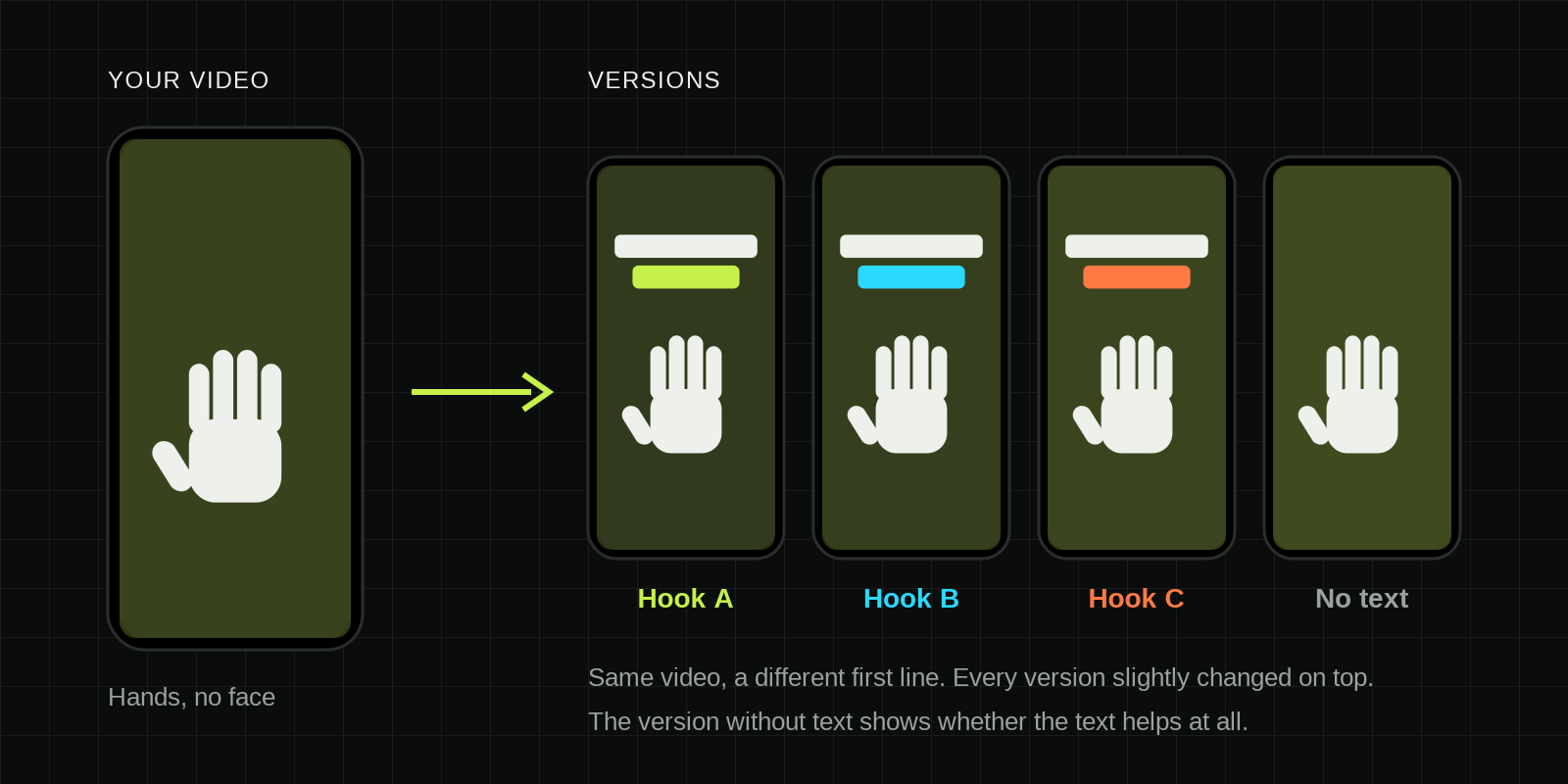
In faceless reels the text is the lever with the biggest effect. That is handy: you don’t have to film again to test something new. One good video with three different hooks gives you three different first impressions.
Here is how:
- Pick one strong video. Ideally one that already did well, or one with clear movement in the first frame.
- Write two to four hooks. Each hook takes a different angle, such as a question, a statement or curiosity.
- Add a version without text. It shows you whether the text helps at all.
- Post them mixed over several days and compare the hooks as groups at the end. How to do that fairly is in test trial reels.
Trial reels are especially suited to this, because they are shown to people who don’t follow you first. That is exactly where the first impression counts most.
How to make variations with reelbatch
reelbatch creates many slightly changed versions of your video and adds your hooks if you like. So you film once and then have enough versions for several days. If you have several faceless videos, such as hands, screen and b-roll, you set separate hooks for each video in a campaign, see plan hooks per video.
Test one faceless video with several hooks
- Start an order. For a single video, open “New single order” in your overview; for several videos over several days, “New campaign”. Then upload your video: MP4, MOV or M4V, up to 150 MB and 3 minutes, ideally vertical.
- Turn on text. In the “Text in video” step, tick “Add text to the video” and add your hooks line by line, with “+ Hook” for each new line.
- Get hook ideas (optional). “Get hook ideas” gives you suggestions. In the context field, briefly describe what can be seen, for example “close-up of hands, kneading dough, no face”. You keep or discard each idea by swiping.
- Choose look and position. Pick an easy-to-read look and check in the preview of your video that the text doesn’t cover anything important, such as your hands or the content of your screen.
- Set the distribution. Under “How long is the text visible?” you choose “Whole video” or the first 3, 5 or 8 seconds. Under “Versions without text (for comparison)” you deliberately leave some versions without text.
- Start and post. In a single order all versions are in one folder; in a campaign reelbatch spreads them across the days, with one folder per day. Which hook appears how often is shown later on the order page under “Details”.
Which looks, positions and distribution settings you see depends on your plan. Text in video doesn’t use any extra quota. Every button of the editor is explained in add text to your reels.
Two more settings that often come in handy for faceless reels. You find them under “Expert settings”, and you can switch them individually from the Standard plan and in the free trial:
- “Hue” off if a product or your brand colours should stay exactly as they are.
- “Dark frames at start and end” off if the first frame of your video matters, for example because the hook is already in the original.
More in expert settings: switch changes on and off. reelbatch can also suggest captions to go under the reel, see edit and copy captions.
Common mistakes with faceless reels
- Too much text. Three lines of hook plus subtitles plus a logo: nobody reads that in a second.
- Text too small. What is readable on a computer often isn’t on a phone. Check the preview on your phone.
- Text and picture don’t match. The hook promises something that never happens in the video. Then people swipe away.
- Other people’s footage without the rights. Only use videos, music and fonts you are allowed to use. That includes clips from stock libraries, so check the licence.
- Every reel looks different. Without a face, a recognisable look matters all the more.
More pitfalls that apply to all reels are in common reels mistakes and how to avoid them.
Frequently asked questions
Do faceless reels work as well as reels with a face?
There is no general answer. Some topics live from a person, others from the result you can see. Whether your audience responds more to you or to your content is best found out with your own tests, for example with trial reels.
Do I need a voice-over?
No. Many formats work with just text on screen and music or the original sound. A voice can create closeness but isn’t a must. If you do speak, show the first sentence as text as well, because not everyone has the sound on.
Which faceless reels work for musicians?
Lyrics reels, hands on the instrument, visuals for the song, studio details and live moments filmed from the crowd. More ideas are in reel ideas for musicians.
Can reelbatch add text to my video?
Yes. In the “Text in video” step you add hooks, pick a look and set position and size on a preview of your video. It doesn’t use any extra quota. Which looks and settings you can use depends on your plan.
Can I use footage from stock libraries?
Yes, if the licence allows use on social media. Read the terms of the platform in question. Your own footage is often the better choice because it feels more genuine and you don’t have to clear any rights.


