Single order or campaign: which mode is right for you?
Single order or campaign in reelbatch: what each mode delivers, when to use which, and how to start it. With a comparison table and examples.

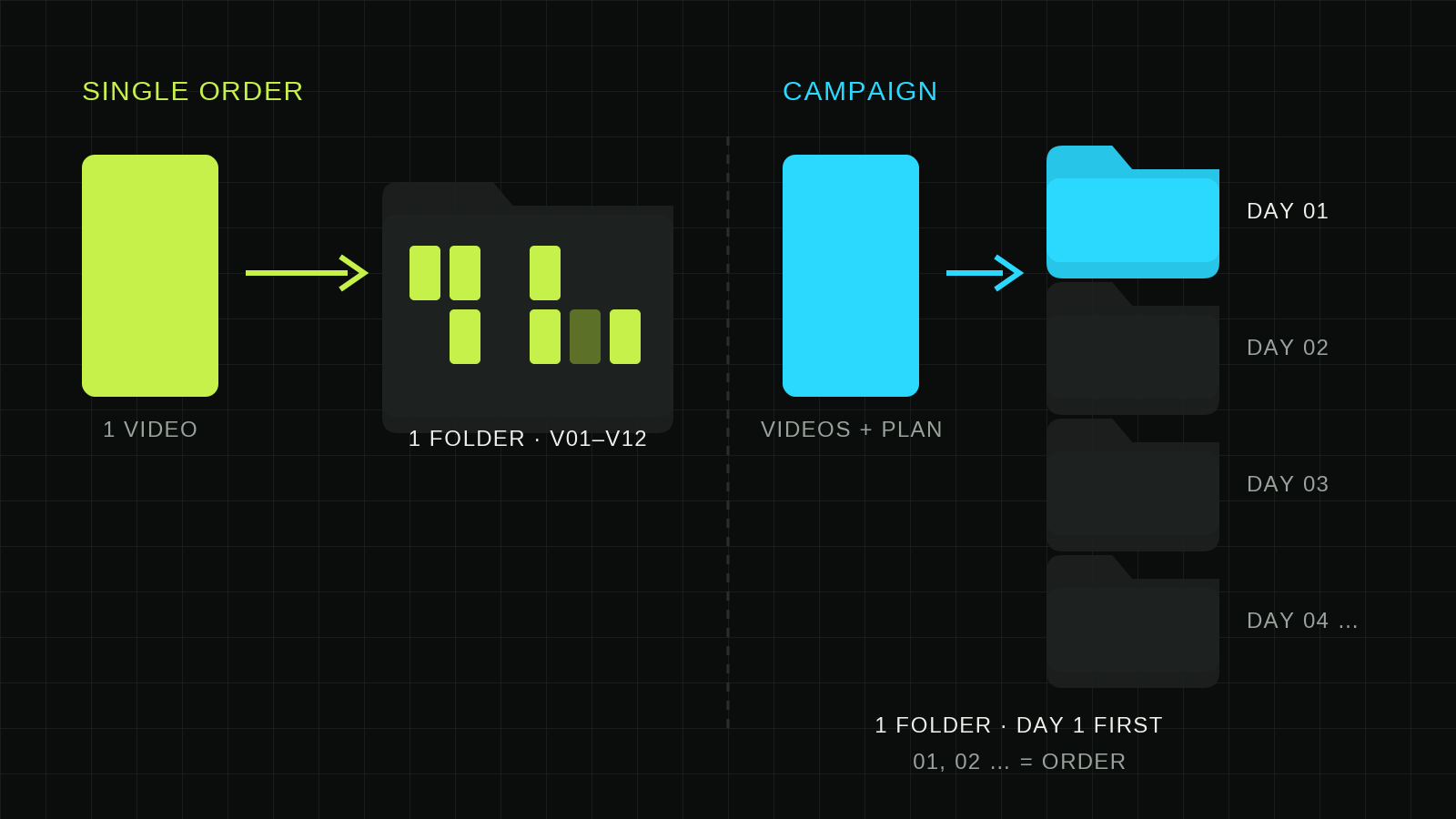
reelbatch has two modes: the campaign and the single order. A campaign spreads your videos across several days as a ready-made posting plan, with day 1 first, all in one folder with a subfolder per day. A single order gives you a fixed number of versions per video, all at once in one folder. Both modes use the same quota: every finished version counts as one trial reel.
Series · part 2 of 6Getting started with reelbatch
This is part 2 of the “Getting started” series. How to open your area for the first time is covered in part 1: how reelbatch works.
Button names
We use English button names in this guide. If you use the app in German, the German label is shown in brackets where it helps you find it.
Both modes at a glance
| Campaign | Single order | |
|---|---|---|
| What you set | Reels per day (1 to 20) and duration (1 to 30 days) | Versions per video (1 to 50) |
| How many videos | Depends on the plan, the calculator shows the range | 1 to 20 videos, each gets the same number of versions |
| What you get | One folder with a subfolder per day (“Day 01”, “Day 02” …), day 1 is ready first | One folder, with a subfolder per video if you upload several |
| Order | Videos numbered per day (01, 02 …) as posting order | Versions numbered per video (v01, v02 …) |
| Calendar preview | Yes, with “Shuffle again” | No |
| In the trial | Yes, freely or as an example campaign | Yes |
When a campaign fits
A campaign is the right mode when you want to post regularly over several days. With trial reels that is almost always the case. reelbatch does the planning for you:
- Every day gets a changing selection of your videos. A video that appears on a day usually shows up two or three times there, in different versions.
- The same video is kept off consecutive days wherever possible.
- All videos are used as evenly as possible.
- Day 1 is finished first, so you can start the same day.
Typical examples: the weeks around a song release, a month of daily trial reels for your account, or one campaign per client account in an agency.
When a single order fits
A single order fits when you need versions without a fixed daily plan. For example:
- You first want to see what the versions look like and start with 3 or 5.
- You plan your posts yourself, for instance in an editorial calendar.
- You quickly need a few versions of one video for a specific occasion.
Start small
From 11 versions per video, reelbatch suggests testing with a smaller number first. It is not a limit, it just saves quota: if you like the result with 5 versions, you can always order more.
How to start a campaign
Start a campaign
- Open a new campaign. Tap “New campaign” (Neue Kampagne) in your overview.
- Set your plan. Use the sliders or − and + to choose how many reels per day you want to post and for how many days. The calculator below shows the total and your remaining quota.
- Upload videos. Tap “Choose videos” and pick your best videos from your phone or computer.
- Check the plan. Once the videos are uploaded, “Your plan as a calendar” appears. If you don’t like the distribution, tap “Shuffle again” (Anders verteilen).
- Add extras if you like. Account name for the folders, text on the video and the strength.
- Start. Tap “Start campaign”. Day 1 comes first, and you get an email as soon as you can get started.
Everything about reels per day, duration and distribution is in part 3: plan a campaign.
How to start a single order
Start a single order
- Open a single order. Tap “Single order” (Einzelauftrag) in your overview.
- Upload videos. One or more videos, up to 20. Each gets the same number of versions.
- Choose the number. Tap 3, 5, 10, 15 or 25, or type any number from 1 to 50.
- Add extras if you like. Text on the video and the strength.
- Start. Tap “Create versions”. You get an email as soon as everything is ready.
What both modes share
- The same quota: every finished version counts as one trial reel, whatever the mode. The form shows you beforehand how much an order uses.
- The same videos: MP4, MOV or M4V, ideally vertical 9:16, up to 150 MB and 3 minutes per video.
- The same strength: level 1, 2 or 3 sets how clearly the versions differ from the original. More in part 4: strength levels.
- The same text step: “Text on the video” is part of both forms. The guide: add text to your reels.
- Several orders at once: you can run several campaigns and single orders in parallel as long as your quota lasts.
The trial has both
In the free trial you have 30 Trial Reels for 3 days, for campaigns and single orders as you like. To start, there is an example campaign with a fixed plan: 3 videos, 5 Trial Reels a day over 3 days. How to make the most of the 7 days is covered in free trial: how to get the most out of it.
Frequently asked questions
Can I switch modes after starting?
No, an order stays as it was started. But you can start a second order in the other mode at any time, as long as your quota lasts.
Why don’t I see the single order button?
The trial and all plans include both modes. Only the campaign passes are fixed: a campaign pass includes one fixed campaign, the single pass only single orders.
Which mode uses less quota?
Neither. Every finished version counts as one trial reel. A campaign with 5 reels per day over 10 days uses 50, and so does a single order with 2 videos and 25 versions each.
Does a single order come with a posting order?
No, the versions are numbered per video (v01, v02 …). You decide when to post what. If you want a ready-made plan, use a campaign.


