Reel length: what fits which format
How long a Reel may be (3 minutes) and how to pick the length by content. What Instagram announced and what reelbatch checks when you upload.

A Reel may be up to three minutes long. That is the limit reelbatch checks when you upload, and it matches what Instagram announced. How long a Reel should be, though, is decided by its content, not by the limit.
Most numbers you find online revolve around two values: 90 seconds and 3 minutes. Here is where both come from and what applies to you.
What Instagram announced
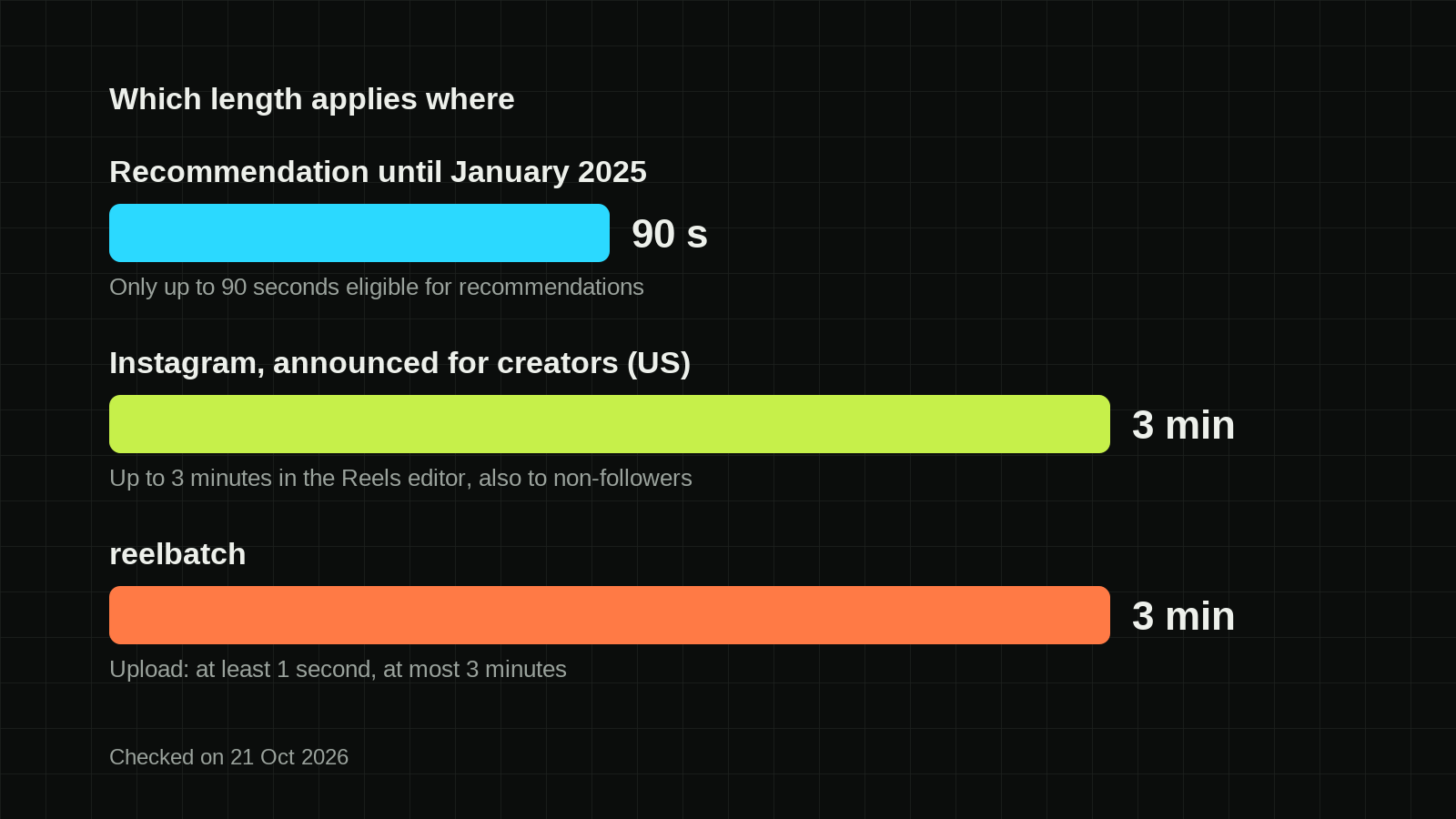
In Instagram’s Creators blog, creators in the United States are told they can now publish Reels up to three minutes long in the Reels editor. Until then, only Reels up to 90 seconds were eligible for recommendations. Since the announcement, Reels up to three minutes can also be shown to people who do not follow the account, for example in the Reels tab and in Explore.
Note the scope: the announcement names creators in the US. Which length your account has today, the Instagram app shows you when you create a Reel. We could not check Instagram’s help page on length in full for this article, so we rely on the announcement itself.
What reelbatch checks when you upload
For Reels in reelbatch the rule is: at least 1 second, at most 3 minutes. If the video is longer, the upload stops with a note that ends: “… is too long (210 s). At most 3 minutes is allowed.” How uploading works in detail is explained in Upload Reels.
Cut a video that is too long before you upload it. If you build a campaign, you can cut seconds from the start or the end under “Cut” when you create a new version. The preview then shows the new length.
Choosing the length by content
The limit tells you what is allowed. It does not tell you what works. Three thoughts help when you choose:
- Longer videos need more patience. The viewer has to notice first whether the time is worth it. So the first seconds should already show what the video is about.
- Every second needs a reason. A video that is finished after 20 seconds does not improve by getting 40 seconds of warm-up. It only gets longer.
- An open question carries the length. A Reel that asks a question and answers it at the end can be as long as the answer takes.
These give rough directions, not rules. A short how-to with one step is as long as that step. A before-and-after shows the change briefly and clearly. A process with several steps gets longer, because each step needs its own picture.
An example: a trial Reel shows three steps: the start, the hand movements and the result. If each step can be shown in about ten seconds, the whole Reel is around 30 seconds. It only gets longer if one step really needs an explanation.
Illustration with example numbers. Actual results vary. There is no promise of results.
Check the length and cut it
- Watch the video once and note the second from which you already know the content.
- Upload. reelbatch checks format, size and length. If the video is longer than 3 minutes, the message appears.
- For a campaign: create a new version and cut seconds from the start or the end under “Cut”.
- Check the preview, then save. The preview shows the new length.
Frequently asked questions
Is longer better?
No. Longer only means the viewer has to wait longer before they can tell whether the time is worth it. Whether a Reel works is best shown by your own account.
Why does the app show something different from this article?
The announcement names creators in the US first, and Instagram rolls out features to accounts step by step. For your account, what the app shows when you create a Reel applies. reelbatch checks the limit of 3 minutes when you upload.
What happens if the limit changes?
The limit is set in one place in the program, not in every video. If something changes, we adjust reelbatch and this article is updated.
Sources
Instagram Creators blog, post “The latest with Instagram”: the announcement that creators in the US can publish Reels up to 3 minutes in the Reels editor, and that recommendations had been limited to 90 seconds before. Media reports date the announcement to January 2025. We did not check Instagram’s help page on length in full for this article.
In short
Three minutes is the limit reelbatch checks and the one Instagram announced. Content sets the length: every part needs a reason to be there. How to check a video before you upload it is explained in Upload Reels.


