Hook ideas by swiping: get suggestions, keep, discard
Hook ideas by swiping in reelbatch: get suggestions for your topic, tone and language, swipe right to keep, left to discard, then use them as texts.

With “Get hook ideas”, reelbatch suggests short texts for your video, and you pick by swiping. Right means keep, left means discard. Kept ideas go straight into your texts and are spread across the versions just like your own. That gets you from an empty line to a handful of hooks you can test.
Series · part 4 of 6Text on video
This is part 4 of the “Text on video” series. The hook ideas sit in the text step, right below your texts. How to open that step and style the texts is covered in part 3: add text to your reels.
In every plan
Hook ideas are part of every plan, Basic and the trial included. How many ideas you get per month depends on your plan and is shown on the pricing page. With the hook formulas by niche you can write your own hooks in a few minutes at any time. To get ideas for one specific video, use the “For” choice, see plan hooks per video.
How it works
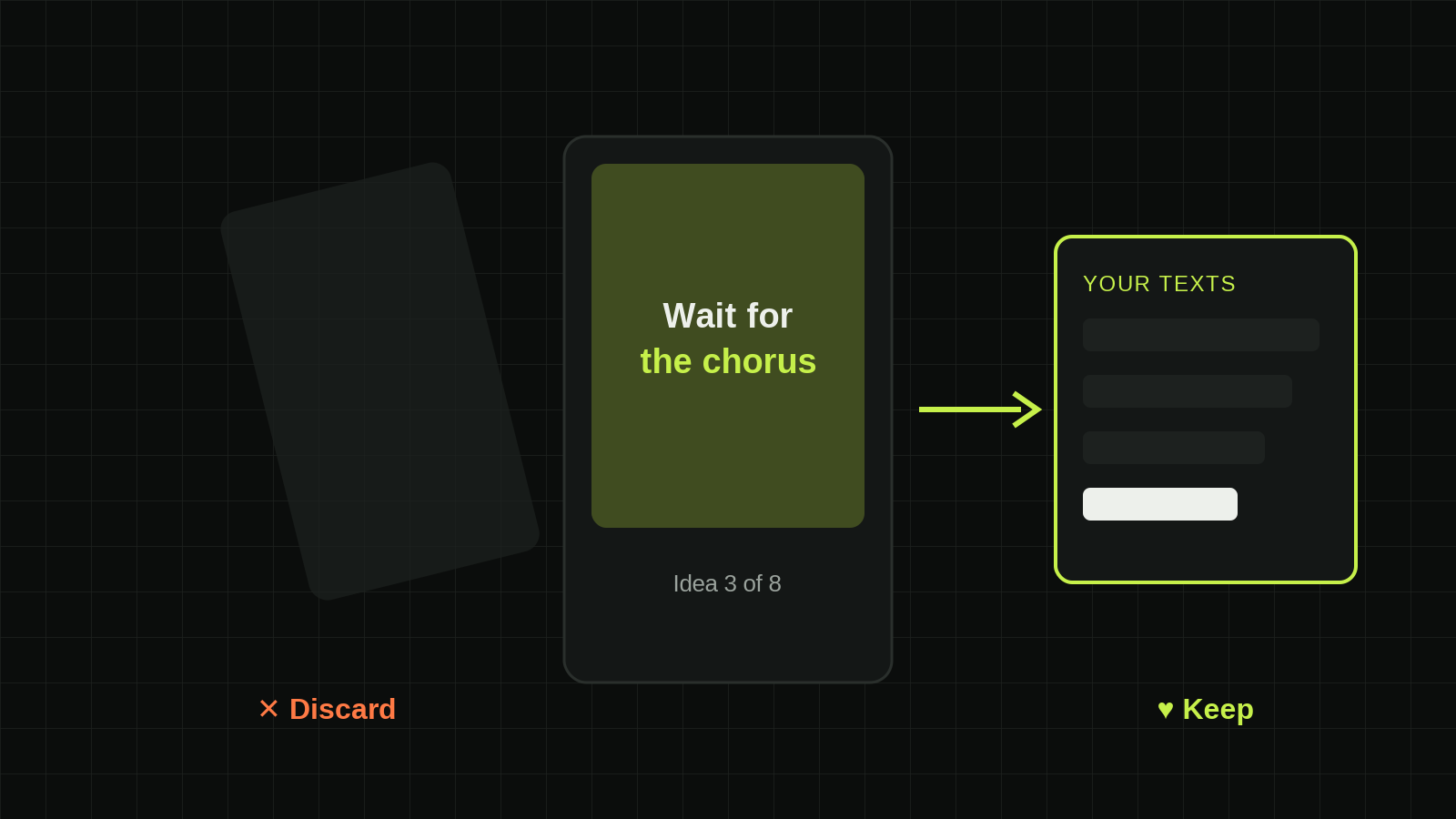
Get and pick hook ideas
- Tap “Get hook ideas”. You find the button in the text step below your texts. Tick “Add text to the video” first.
- Briefly describe your video (optional). For example “my new summer song, acoustic version”. The more specific, the better the suggestions.
- Choose tone, number and language. Tone: curious, funny, emotional or direct. Number: as offered in the section. Language: German or English.
- Tap “Generate ideas”. The first idea appears as a card, previewed in your chosen look.
- Swipe. Right or “♥ Keep”: the idea joins your texts. Left or “✕ Discard”: gone. On a computer the arrow keys ← and → work too.
- Go back or get more. “↶ Undo” brings back the last card, “New ideas” fetches more.
When the stack is done, your kept ideas are at the top of your texts and also under “Saved texts” for later orders.
Suggestions for you
The first time you open it, reelbatch shows suggestions without you typing anything. They match your type of account, for example music, creator, brand or agency. If you have kept hooks or used your own texts before, you get suggestions in a similar style. At the bottom you can fetch new ideas for a specific topic at any time.
Which tone fits?
| Tone | Effect | Example |
|---|---|---|
| Curious | builds tension, makes people want to keep watching | “Wait until the chorus kicks in” |
| Funny | light, with a wink | “POV: you’re hearing this song for the 40th time today” |
| Emotional | personal, close | “I wrote this song at three in the morning” |
| Direct | clear, straight to the point | “3 mistakes when tuning a guitar” |
Mix different tones
Keep ideas from two or three different tones. Your review will then show whether your audience responds more to curiosity or to clear statements. How to compare fairly is explained in how to test trial reels.
Adjust the ideas
Kept ideas are normal texts. You can edit them in the text field, shorten them, highlight a word with *asterisks* or delete them. Hook ideas come with emojis that match the tone: one or two for light hooks, a calm one for emotional ones, none for serious topics.
The suggestions are a starting point, not finished copy. The best hooks sound like you. Read every idea out loud once before you keep it.
Check them yourself
Check whether each idea fits your video and is true. A hook that promises more than the video delivers tends to make people swipe away. The suggestions are built without exaggerations, promises or made-up numbers, but the final decision is yours.
From idea to formula
If you’d like to write your own hooks, patterns help. Ten basic patterns with examples are in hooks for Instagram reels, fill-in templates for specific niches in hook formulas by niche. How much room a hook has on screen is explained in the Instagram reels safe zone.
Frequently asked questions
Do hook ideas cost anything?
No, hook ideas don’t use any quota. If the number of requests per day is limited, the section shows how many are left today.
Why don’t the suggestions fit my video?
Describe your topic briefly in the field about your video, for example genre, occasion or audience, and get new ideas. Without a description the suggestions are based only on your type of account. For AI ideas, the AI also sees stills from your video. How to get the most out of that is explained in AI hook generator: ideas that know your video.
Can I bring back a discarded idea?
Yes, “↶ Undo” brings back the card you swiped last. You can repeat that step by step for several cards.
Are hook ideas available in English?
Yes. Choose English under language and the suggestions come in English.


