How reelbatch works: step by step to your daily plan
The reelbatch guide: start the trial, upload videos, plan a campaign, add text on the video and post the finished folder every day.

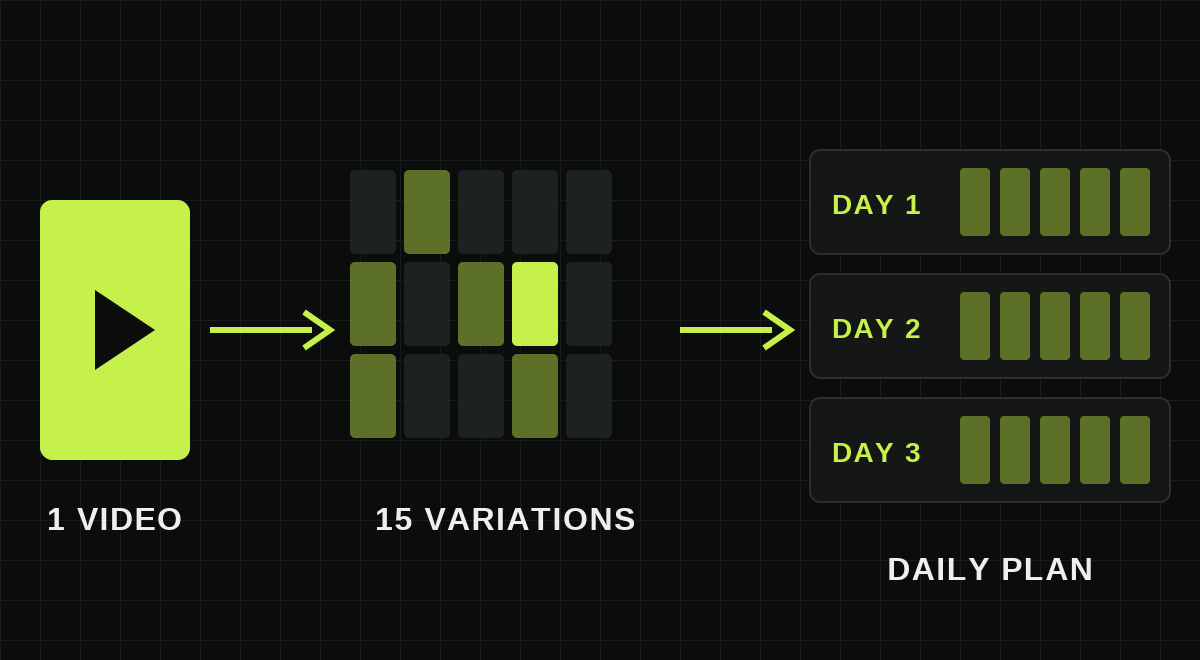
reelbatch turns your best videos into many slightly varied versions for trial reels and spreads them across a daily plan. You upload videos, set how many reels you want to post per day and for how long, and then open a finished folder every day. Here you get the whole process at a glance. Each step has its own detailed part in this series. All guides, with a search field, are under help and guides.
Series · part 1 of 6Getting started with reelbatch
Start the trial
The free trial runs for 3 days: you get 30 Trial Reels for campaigns and single orders. To start, there is an example campaign with 3 videos, 5 reels a day over 3 days, after which 15 are left to use freely. You don’t need payment details and you don’t sign up for a subscription.
- Sign up on reelbatch.de with your name, email and Instagram handle.
- You get an email with your personal link. This link takes you to your area, no password needed.
- The first time you open it, a short three-step introduction shows you how everything works (more on that below).
How to make the best use of the 3 days is covered in free trial: how to get the most out of it.
Tip
Save the link as a bookmark or on your phone’s home screen. It is your access to all orders and folders. How to set up the icon is explained in Save reelbatch as an app on your phone.
The introduction when you first open it
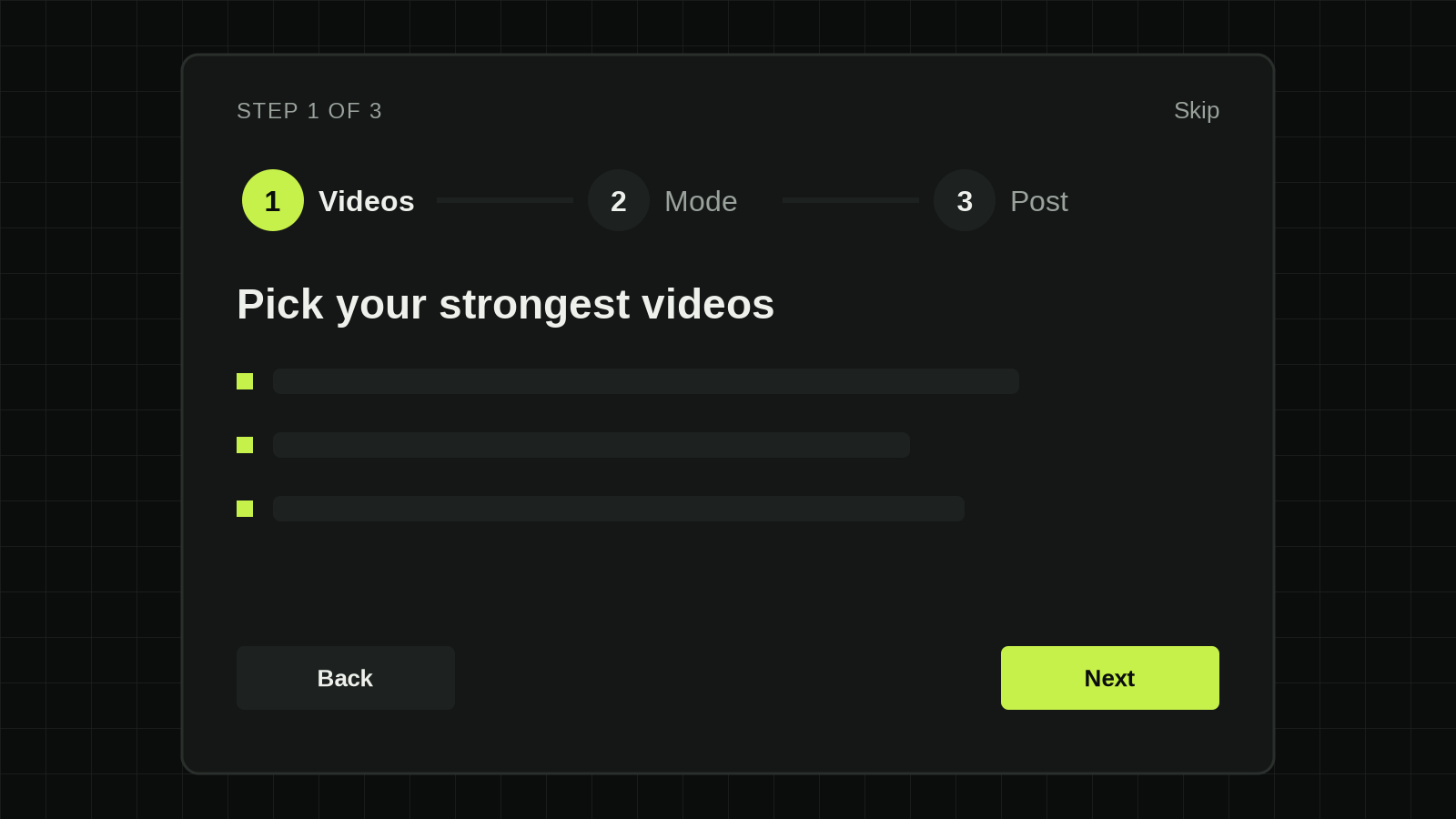
When you open your link for the first time, a short three-step introduction appears at the top of your overview:
- Videos: which videos work. Vertical 9:16, MP4 or MOV, up to 150 MB. For the example campaign in the trial you need exactly 3 videos.
- Mode: campaign or single order, each with a button straight to the right form.
- Post: how to save the videos and in which order to post them. As soon as your first folder is ready, an “Open folder” button appears here.
Use “Next” and “Back” to move through it, “Skip” hides the introduction. If you have already started an order, it jumps to step 3 by itself. At the very bottom of your overview you can always reopen the three-step introduction at step 1.
Your overview
In your area you see at a glance:
- Your quota: a big number with the trial reels you have left, how long your plan is valid and when it will be refilled.
- Two buttons: “New campaign” and “Single order” (only the campaign in the trial).
- Your orders: with status, progress and buttons to open the folders.
- Daily reminder: an email on every campaign day at your chosen time.
- Report a problem and Help and FAQ, in case something gets stuck.
- What’s new at the top right, with a green dot when there is something new. More in reelbatch What’s new.
The process in six steps
From your videos to a finished daily plan
- Choose a mode. For trial reels the campaign is usually the better way, because you know what’s due every day. The single order delivers a fixed number of versions at once. Details: part 2: single order or campaign.
- Set your plan and upload videos. Set reels per day (1 to 20) and duration (1 to 30 days), then upload your best videos. The calculator shows how many videos make sense. Details: part 3: plan a campaign.
- Check the calendar. Before you start, you see every day with date, number and videos. “Shuffle again” creates a new distribution.
- Choose text and strength. Adding hooks is optional, see add text to your reels. The strength sets how clearly the versions differ: part 4: strength levels.
- Download and post. Day 1 is ready shortly after the start. Every day, open the folder, save the videos and post them as trial reels: part 5: download your videos and how to post trial reels.
- Review and continue. After a few days, look at the numbers in Instagram and start the next round with the strongest material: part 6: review your campaign.
Good to know
We only use your original videos to create the versions. We delete them automatically as soon as your order is finished. The finished versions are deleted after 30 days. Before that, an email and a note in your overview remind you so you don’t miss anything.
What came with the start of the beta is summed up in reelbatch 0.5: the beta has started.
Which plan fits?
After the trial you can choose a plan, depending on how many trial reels you need per month and how many accounts you run. A comparison to help you decide is in which plan fits?, all prices on the pricing page. The trial reels calculator works out what your plan needs.
Frequently asked questions
Do I need an account with a password?
No. You get a personal link by email. This link takes you to your area. Treat it like a key and don’t share it.
How long until my videos are ready?
Day 1 of a campaign is ready shortly after the upload. The other days are created in the background before you need them. As soon as folders are ready, you get an email.
Does reelbatch post for me?
With the software you post yourself, reelbatch delivers the finished versions. If you want to hand over the posting, you can ask about the done-for-you service.


