Post reels over several days: the daily routine
Post reels over several days in reelbatch: the Post today block, one folder per day, the downloaded check mark and the daily email reminder.

Posting over several days means this: not all your reels on one day, but a few every day. In reelbatch a campaign runs over several days, and each day has its own folder with the videos due that day. Uploading is rarely the hard part. The hard part is the question: what is due today, and where is it?
The app answers this with the block “Post today”. This article shows how it works, how to go through a day with it, and when the email reminder reaches you.
When a day counts as “today”
The first posting day is not the day you start the campaign. It is the day day 1 was delivered. Only then do you get the folder, and the days start counting from there. That matters when you plan a campaign. The calendar in the campaign form shows you the days with their dates. You can read more in Posting plan for reels.
The block “Post today” sits at the top of your start page. It appears while a campaign is running, and for up to two days after the last posting day.
What the block shows
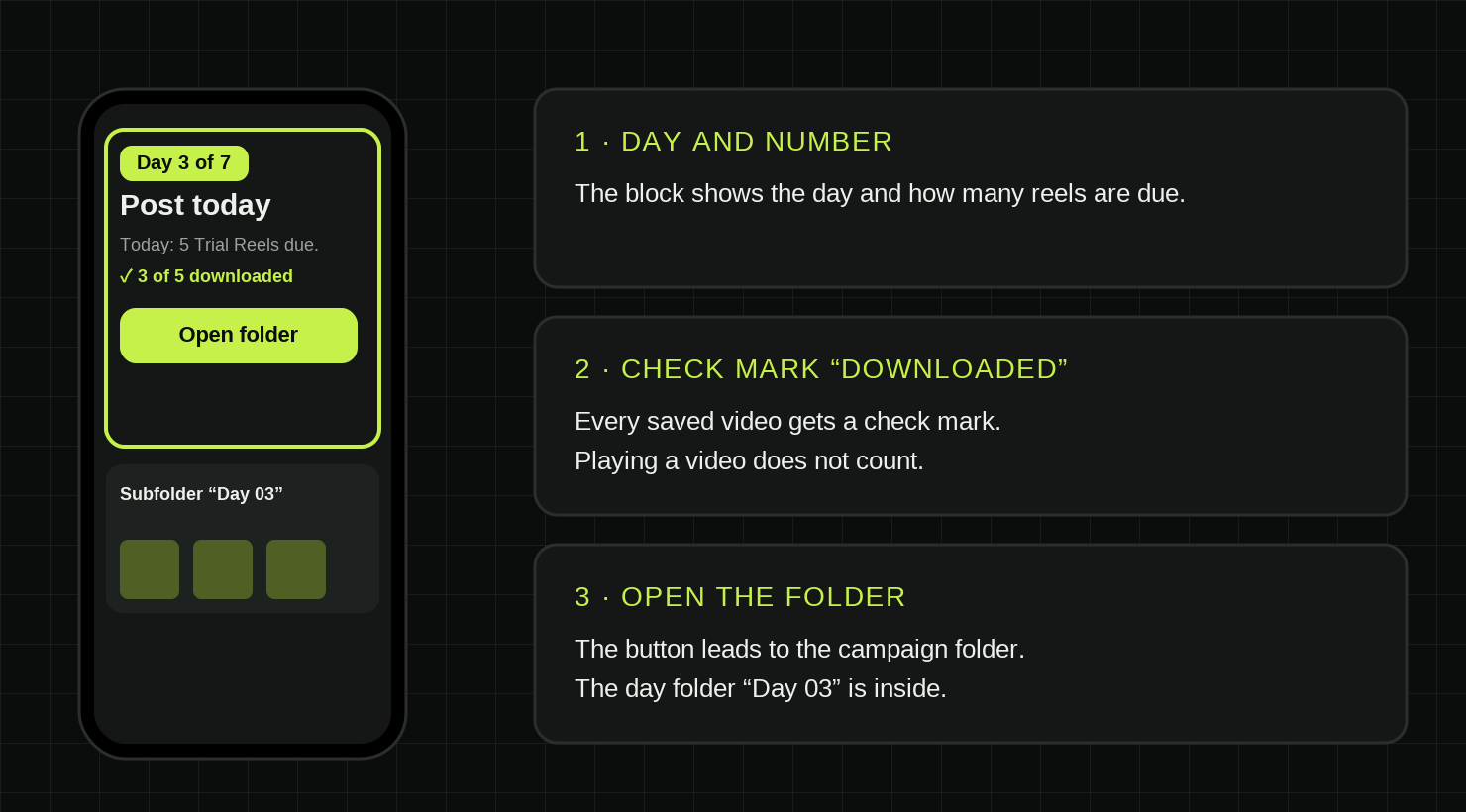
- The name of the campaign and the day, for example “Day 3 of 7”.
- How many Trial Reels are due today, for example “Today 5 Trial Reels are due.”
- How many downloads are done, for example “✓ 3 of 5 downloaded”. When it says “✓ all downloaded”, you are through.
- The button “Open folder”. It opens the main folder of your campaign. Today’s videos are in the subfolder “Day 03” inside it.
- A note on the last day: “Today is the last day of this campaign.”
- After the last day, the buttons “Enter results” and, if your plan allows it, “Start a new campaign”.
If the folder for today is not ready yet, the block says: “The folder for this day is still being created. You’ll get an email as soon as it’s ready.”
The check mark “downloaded”: who has saved already?
Next to each video you save with “Download” you see a green “✓ downloaded” in the folder. On a day folder you see “✓ all downloaded” once every video of that day is saved. “Download everything as ZIP” marks all videos in the ZIP. Note: only playing a video does not count. A video is only marked when you really save it. How to save on a phone and a computer is explained in Downloading videos.
The daily email reminder
You can be reminded by email on every campaign day. The email tells you which day is due, how many Trial Reels there are, and gives you the link to the folder. This is a setting for you:
- In your customer area, the card “Daily reminder” asks for your consent. Tick the box and choose a time between 6 and 22 o’clock.
- It is off by default. Without your consent, nothing is sent.
- If several campaigns run, you get one combined email.
- The reminder comes within 10 minutes after the full hour you chose.
What a day with a routine looks like
- Open the block. Either through the reminder or at the top of the start page.
- Open the folder and save the videos of the day in order. The number at the front of the file name is the order: 01, 02, 03.
- Check the mark to see whether all videos are downloaded.
- Post in Instagram. The checklist for posting helps beforehand.
- Evaluate on the last day. Enter the results and plan the next round, as described in Evaluate the campaign.
Example: a campaign with 5 reels a day over 7 days. Today is day 3. The block shows “Day 3 of 7” and “Today 5 Trial Reels are due.” You save the five videos, the mark shows “✓ all downloaded”, and then you post them one after the other.
Illustration with sample numbers. Actual results vary.
Common mistakes
- Uploading everything at once. If you mix up the days, you lose the order reelbatch sets.
- Mixing up the campaign folder with the day folder. Today’s videos are in the subfolder “Day 03”.
- Never switching on the reminder and then trying to keep in your head which day is due.
- Not evaluating after the last day. The results are why you can plan the next round better.
Frequently asked questions
Why don’t I see the “Post today” block?
It only appears while a campaign is running, or up to two days after the last posting day ended. Without a campaign you see the buttons “Start your first campaign” or “Start a new campaign” and “Single order”.
What happens if I miss a day?
The folders stay in place until the deletion date. So you can still save the videos of the day you missed. Three days before the automatic deletion, reelbatch reminds you by email.
Do I get the reminder even if I don’t log in?
Yes, if you have switched it on. The email goes to your address and contains the link to the folder. You can also unsubscribe from the reminder with the link in the email.


